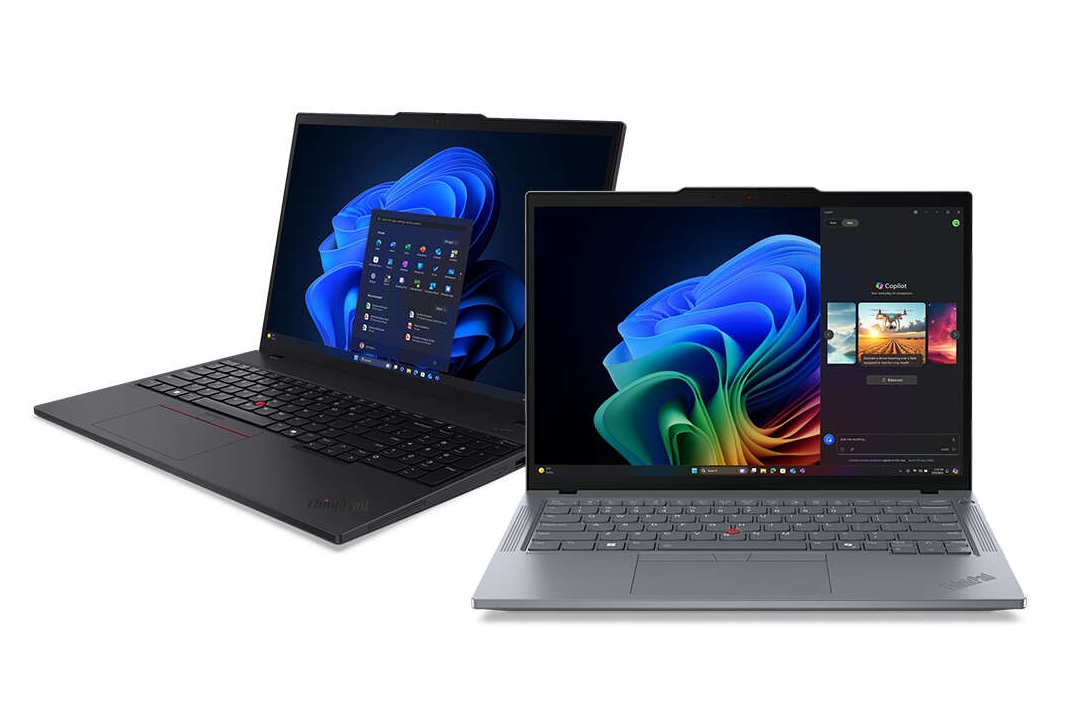
ThinkPad T14 Gen 6 AMD
The T14 Gen 6 AMD delivers excellent battery life (9–11 hours) and solid day-to-day performance. However, users upgrading from the T14 Gen 1 or Gen 5 are often surprised to find minimal real-world speed improvements despite the generational jump.
The Ryzen AI 7 Pro 360 prioritizes efficiency over raw performance. If upgradeable RAM matters and you don't need cutting-edge CPU speed, this remains a dependable choice—as long as expectations are set accordingly.
Based on real user experience. Insights from multiple owners, complaints, and field reports across the laptop community.
Watch Out For
Real issues reported by the ThinkPad community. Know these before you buy.
Limited Performance Improvement
Users upgrading from T14 Gen 1 or Gen 5 find minimal real-world speed improvements despite the generational jump.
The Ryzen AI 7 Pro 360 prioritizes efficiency over raw performance. Single-core performance is only 10–15% better than the Gen 1's Ryzen 4750U, and multi-core performance is roughly equal.
The 4750U from 2020 was that good. You're essentially paying for better battery life and thermals, not significantly faster computing.
Impact: This is the primary concern for users considering an upgrade from earlier generations.
CPU Doesn't Hit 5GHz Boost
Lenovo caps TDP at ~28W for thermal management. Real-world sustained boost is 3.3–3.6GHz, not the advertised 5GHz.
Don't expect to see those advertised boost speeds in sustained workloads. Lenovo prioritizes thermal performance and battery life over peak performance.
This is by design, not a defect. The chassis can't handle sustained 5GHz operation without thermal throttling.
If you need sustained high-performance computing, consider a different form factor.
Early QC Issues
Some early units reported trackpad looseness and light coil whine. These appear to be early production issues.
Early adopters reported occasional quality control issues including trackpad looseness and minor coil whine.
These issues appear less common in more recent production runs, but it's worth testing your unit thoroughly within the return window.
Recommendation: Buy from retailers with good return policies and test thoroughly upon arrival.
Thunderbolt Dock Issues
TB3/TB4 docks can cause shutdowns during sleep. Stock 65W adapter is underpowered for heavy workloads.
Multiple users report that Thunderbolt docks can trigger unexpected shutdowns when the laptop enters or exits sleep mode.
The stock 65W adapter is insufficient for demanding workloads with peripherals. Consider upgrading to a 100W USB-C charger for better reliability.
This appears to be a firmware or power management issue that may improve with updates.
880M iGPU Requires Configuration
Default VRAM allocation is only 512MB–1GB. Must allocate 8GB in BIOS for gaming or GPU-intensive work.
The integrated Radeon 880M is capable, but Lenovo ships it with minimal VRAM allocation by default.
You must manually configure: Enter BIOS and allocate 8GB of system RAM to VRAM for proper GPU performance.
With proper configuration, expect 40–50 FPS in demanding games at 1080p medium settings, 60+ FPS in older titles. Not a gaming machine, but respectable for integrated graphics.
Why People Love It
Despite modest performance gains, the T14 Gen 6 AMD excels in the areas that matter for daily productivity.
Excellent Battery Life
The battery champion. Real-world usage delivers 9–11 hours consistently. The efficiency improvements are real, even if raw performance gains aren't. Perfect for all-day work without hunting for outlets.
Upgradeable RAM (2x SODIMM)
Unlike the soldered RAM in most modern laptops, the T14 has two SODIMM slots. Start with 16GB and upgrade to 64GB later when needed. This future-proofing is increasingly rare.
Built-in Ethernet Port
Full-size Ethernet port without dongles. Essential for enterprise environments, network troubleshooting, and situations where WiFi isn't reliable. The T14s sacrifices this for weight savings.
Excellent Linux Support
Everything works out-of-box on Fedora 42+/Ubuntu 25.04+ with kernel 6.12+. Suspend, resume, WiFi, Bluetooth—all flawless. Disable AMD VariBright on low-power displays if needed. This is a Linux-friendly machine.
500-nit Display Option
The 500-nit IPS display is genuinely usable outdoors. OLED is gorgeous but kills battery (6–8 hours vs 9–11 hours). Choose wisely based on your priority: stunning colors or outdoor visibility + battery life.
Capable 880M Graphics
With proper VRAM allocation (8GB in BIOS), the Radeon 880M handles light gaming at 1080p. 40–50 FPS in demanding titles, 60+ FPS in older games. Solid for casual gaming and GPU-accelerated work.
T14 vs T14s Comparison
Understanding the differences will help you choose the right model for your needs.
T14 Gen 6 vs T14s Gen 6
| Feature | T14 Gen 6 | T14s Gen 6 |
|---|---|---|
| RAM | Upgradeable (2x SODIMM slots) | Soldered (not upgradeable) |
| Ethernet Port | Yes (Full-size RJ45) | No (Requires dongle) |
| Weight | ~1.4kg | ~1.2kg (200g lighter) |
| Build Materials | Standard ThinkPad construction | Premium materials |
| Best For | Upgradeability + Ethernet needs | Maximum portability |
| Choose T14 for upgradeability, T14s for weight savings | ||
Display Options
| Type | Battery Life | Outdoor Use | Touch |
|---|---|---|---|
| OLED | 6–8 hours | Good with anti-glare | Touch-only |
| IPS 500-nit | 9–11 hours | Excellent | No touch option |
Configuration Recommendations
Choose the configuration that matches your priorities and budget.
Budget Build
- Processor: Ryzen AI 7 Pro 360
- Display: IPS 500-nit
- RAM: 16GB (upgrade later)
- Storage: 256GB SSD
Business Professional
- Processor: Ryzen AI 7 Pro 360
- Display: IPS 500-nit
- RAM: 32GB
- Storage: 512GB SSD
Creative Work
- Processor: Ryzen AI 7 Pro 360
- Display: OLED touch
- RAM: 32GB
- Storage: 1TB SSD
Linux Developer
- Processor: Ryzen AI 7 Pro 360
- Display: IPS 500-nit
- RAM: 32GB
- Storage: 512GB SSD
The Verdict
Best for: Users who prioritize battery life, upgradeability, and Ethernet connectivity over cutting-edge performance. Perfect for business users, Linux enthusiasts, and anyone who values practical features.
Skip if: You need significant performance gains from your current laptop, want the lightest possible machine (get T14s instead), or require sustained high-performance computing.
The Reality: This is an efficiency champion, not a performance beast. Set your expectations accordingly, and you'll be very happy with the battery life and reliability.
Frequently Asked Questions
Direct answers to the questions everyone asks before buying.
Data Sources
All of the information comes from online community of laptop owners, who report directly from their own experiences. and somewhere in data source : We put up reports from the community that show trends of failure, configuration problems, and long-term feedback. Each problem is measured depending on how frequently it arises across individual user instances.
Ready to Make Your Decision?
Have questions or need personalized advice? We're here to help.